Skip to product information
1 of 7

Checkbook Spreadsheet with Split Transactions, Reconcile Your Checking Account, Excel Checkbook Register

Checkbook Spreadsheet with Split Transactions, Reconcile Your Checking Account, Excel Checkbook Register

License
Media Format
Regular price $ 49.95 USD
Regular price $ 71.40 USD Sale price $ 49.95 USD
30% Off Sold out
  • Extra 20% off with code EXTRA20
  • 10,000+ customers
  • Spreadsheet Created by Owner
  • One-Time Purchase: No Subscription
  • Instant Download
  • Fast Support: Based in USA


Spreadsheet Overview

  • Georges Excel Checkbook Register v11: Get your finances in order with this easy-to-use checkbook spreadsheet.
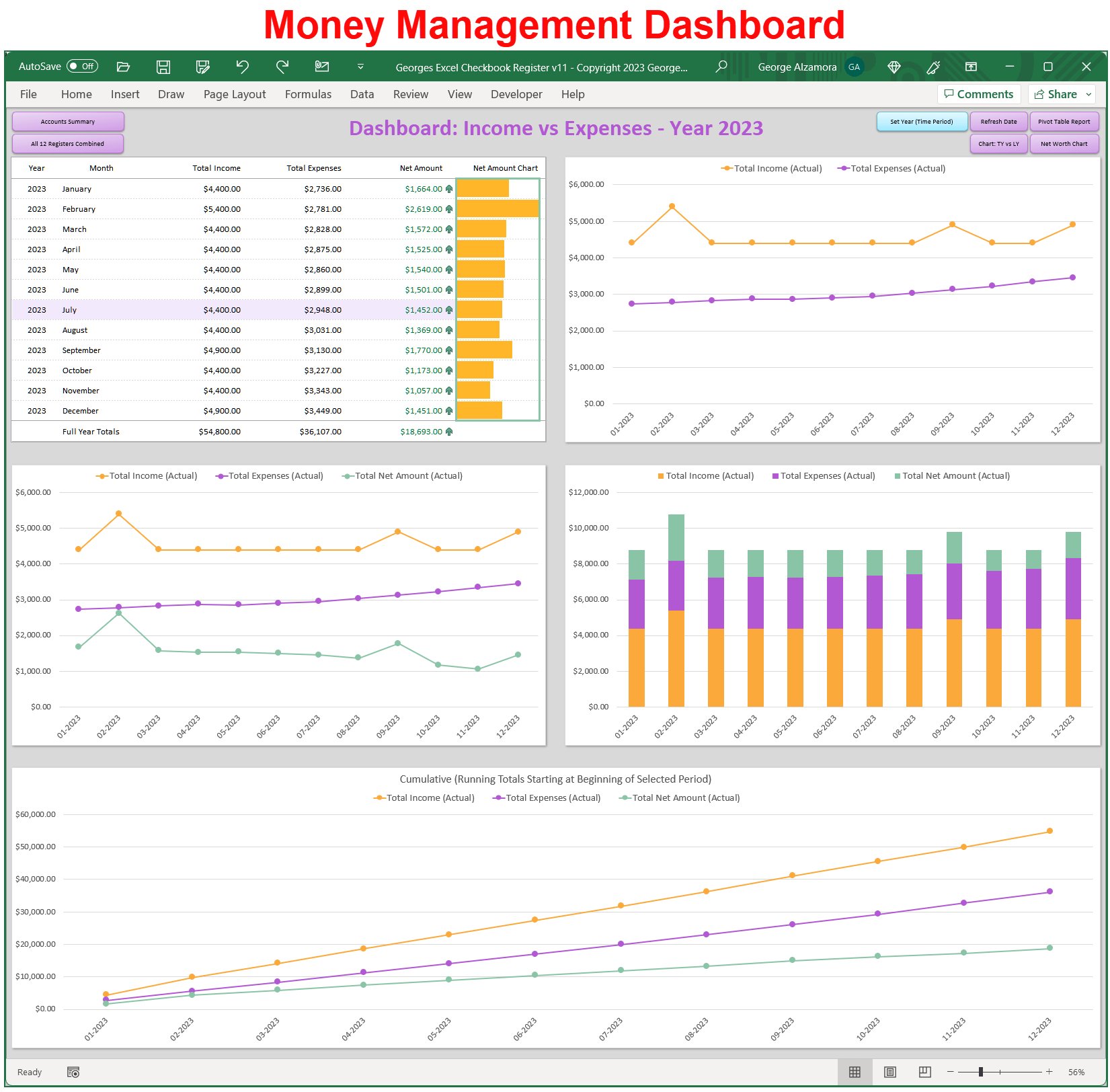
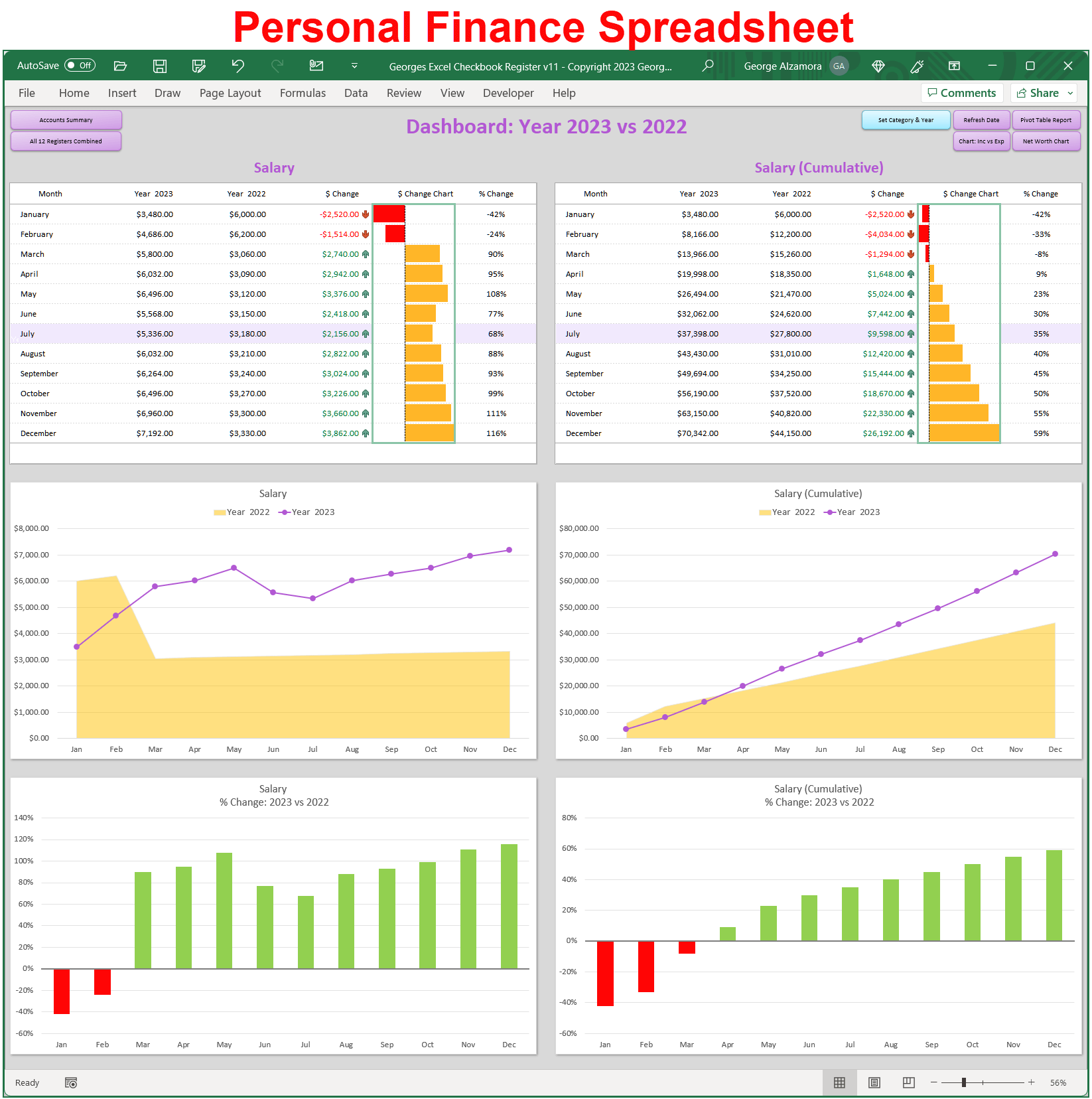
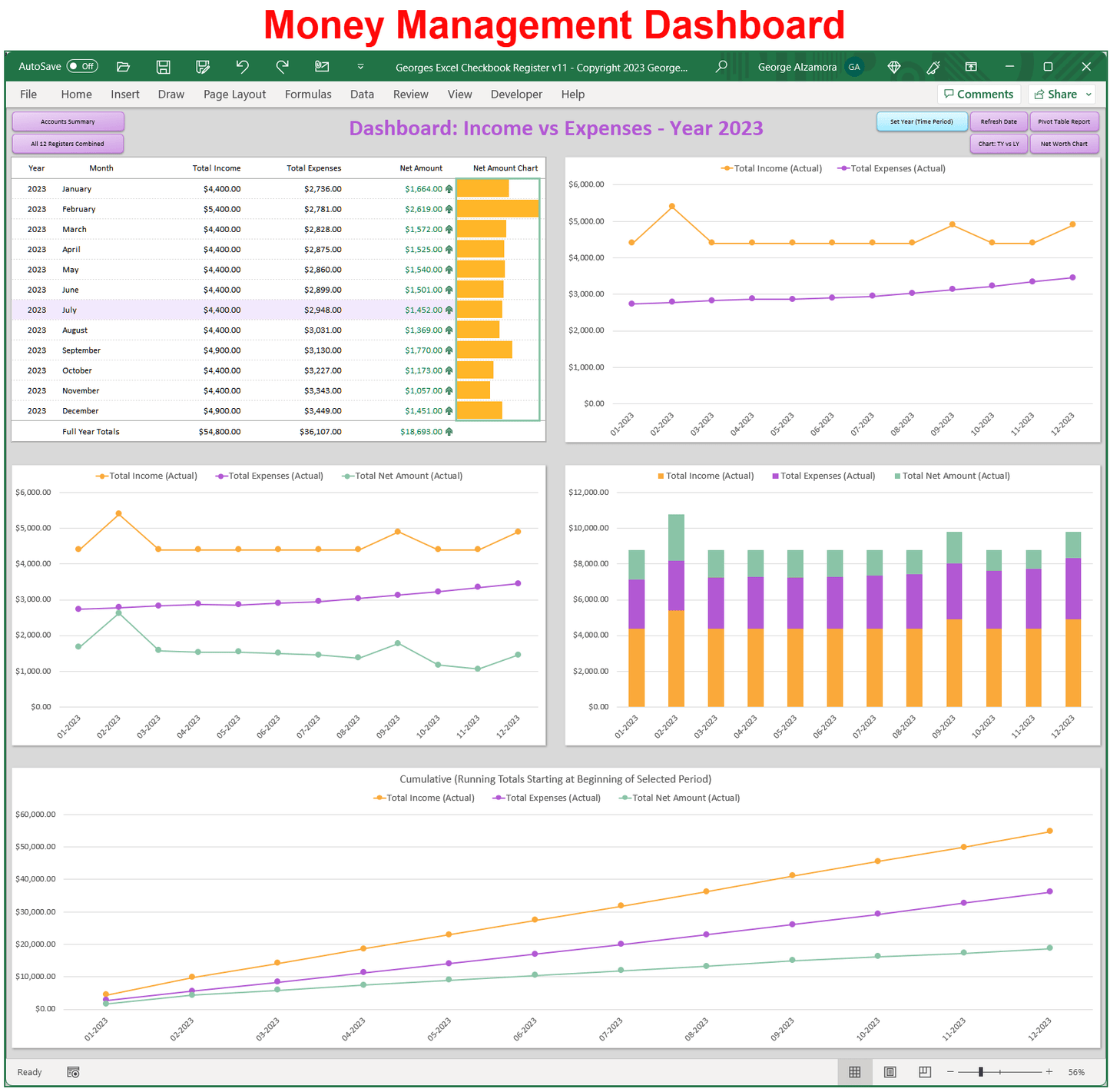
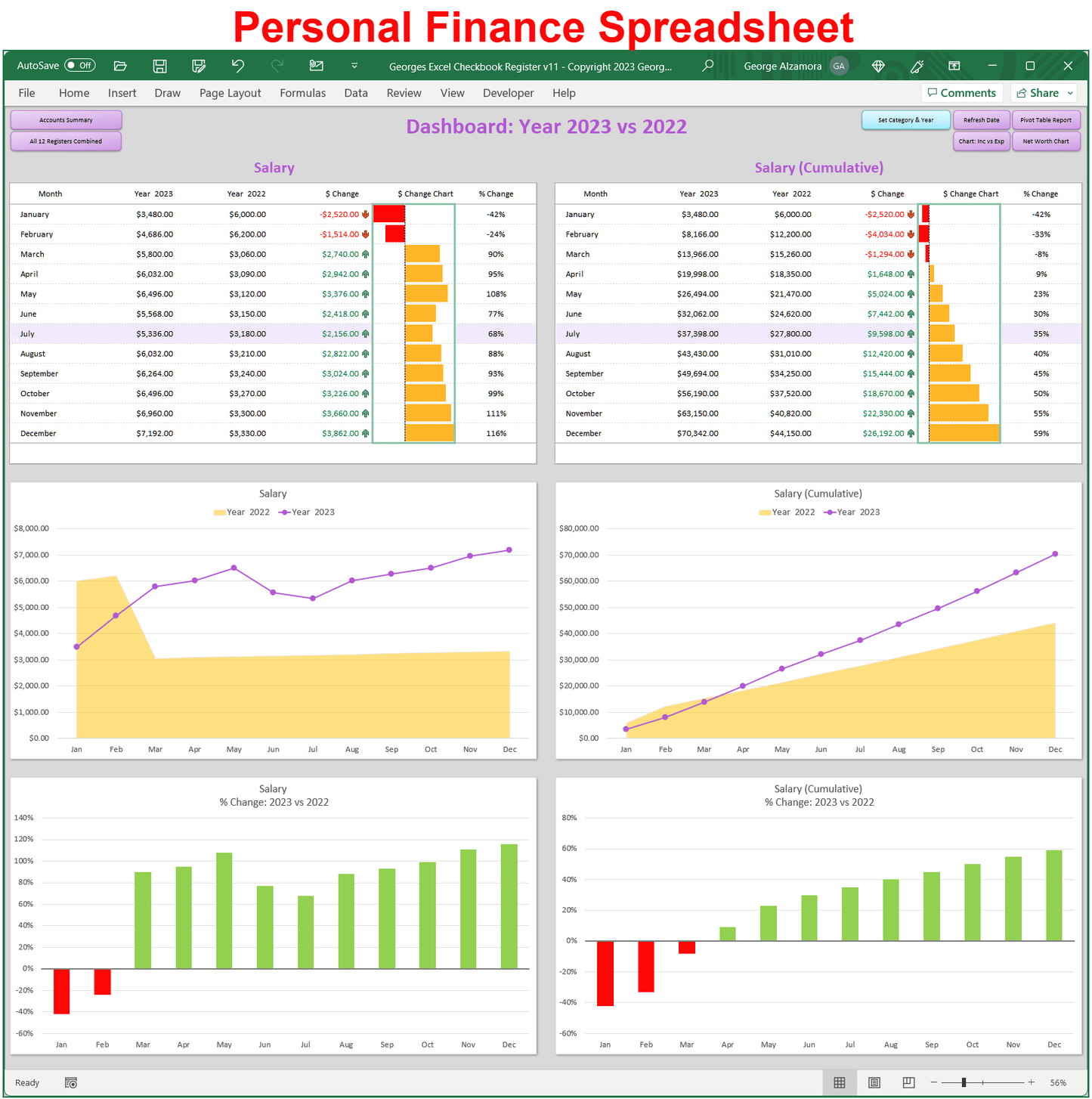
  • The checkbook registers predesigned Excel spreadsheet formulas automatically calculate your running balances and dynamically create visual reports and charts.
  • Save the time spent using the pen, paper and calculator and track of all your expenses and income in this simple checkbook spreadsheet and start to manage your money like a pro.
Excel Checkbook Spreadsheet features:

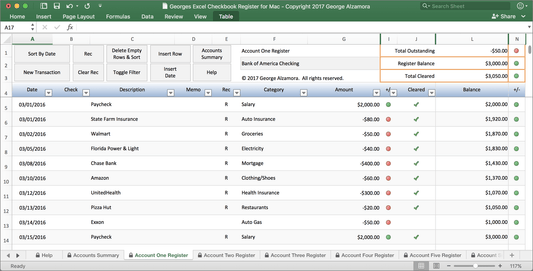
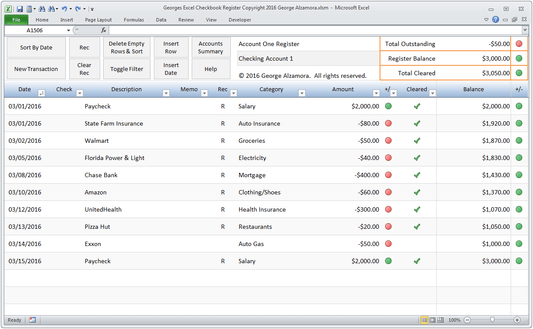
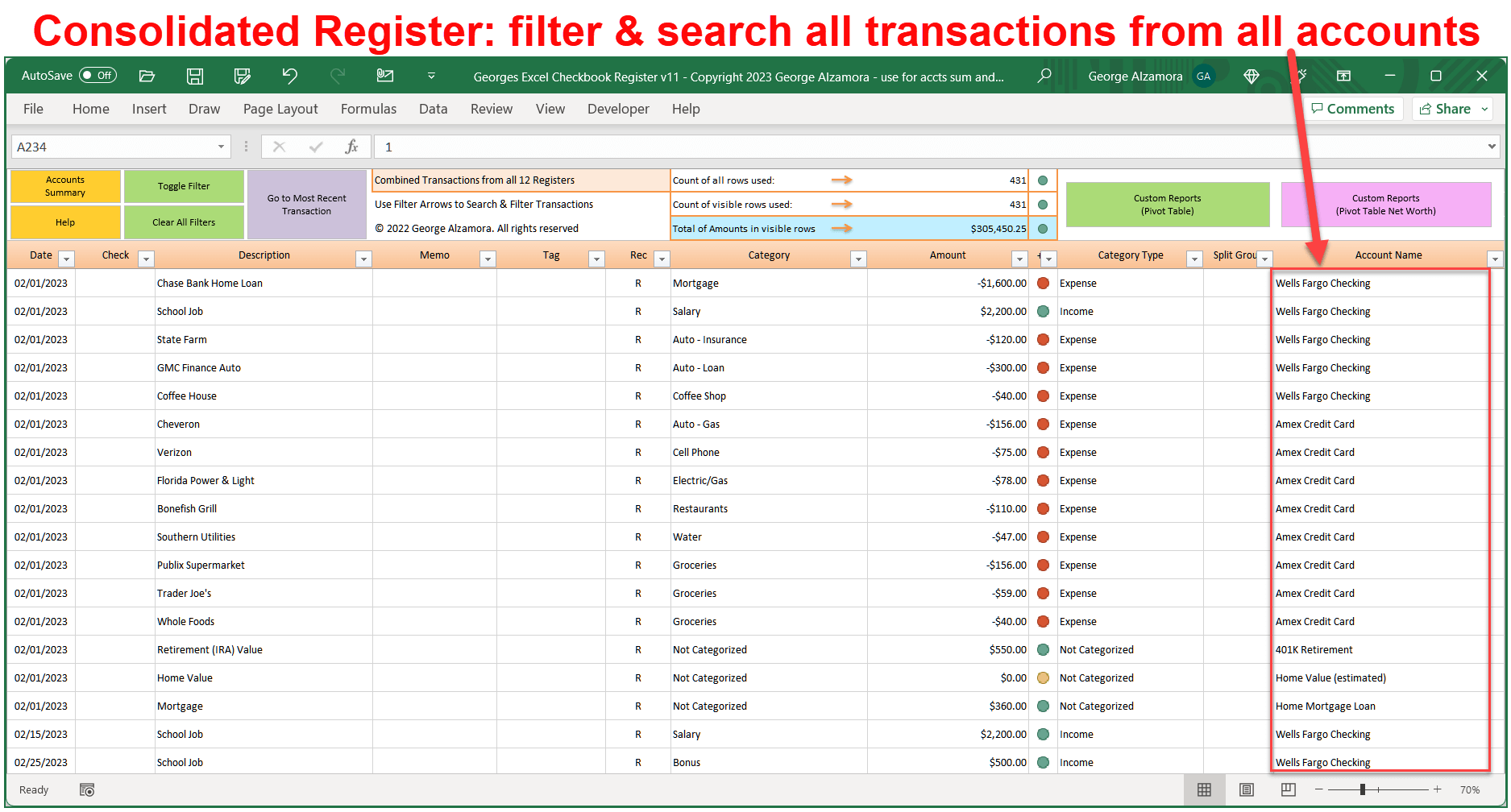
  • Record and track bank account transactions in the Excel checkbook registers 
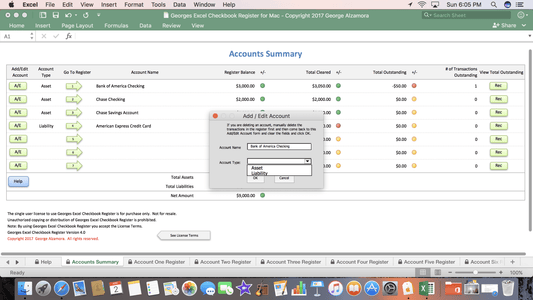
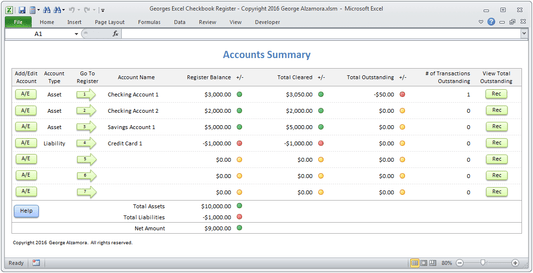
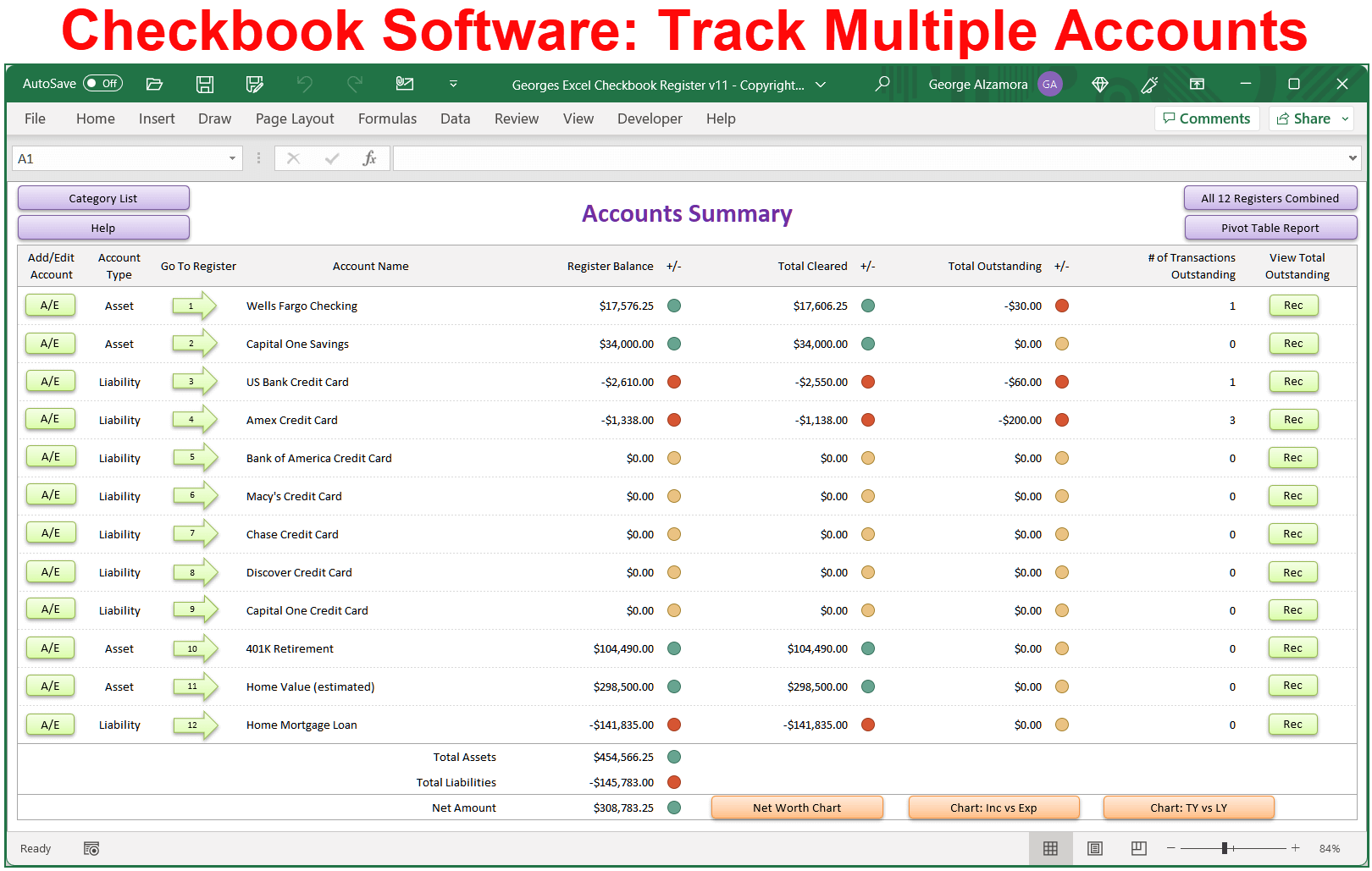
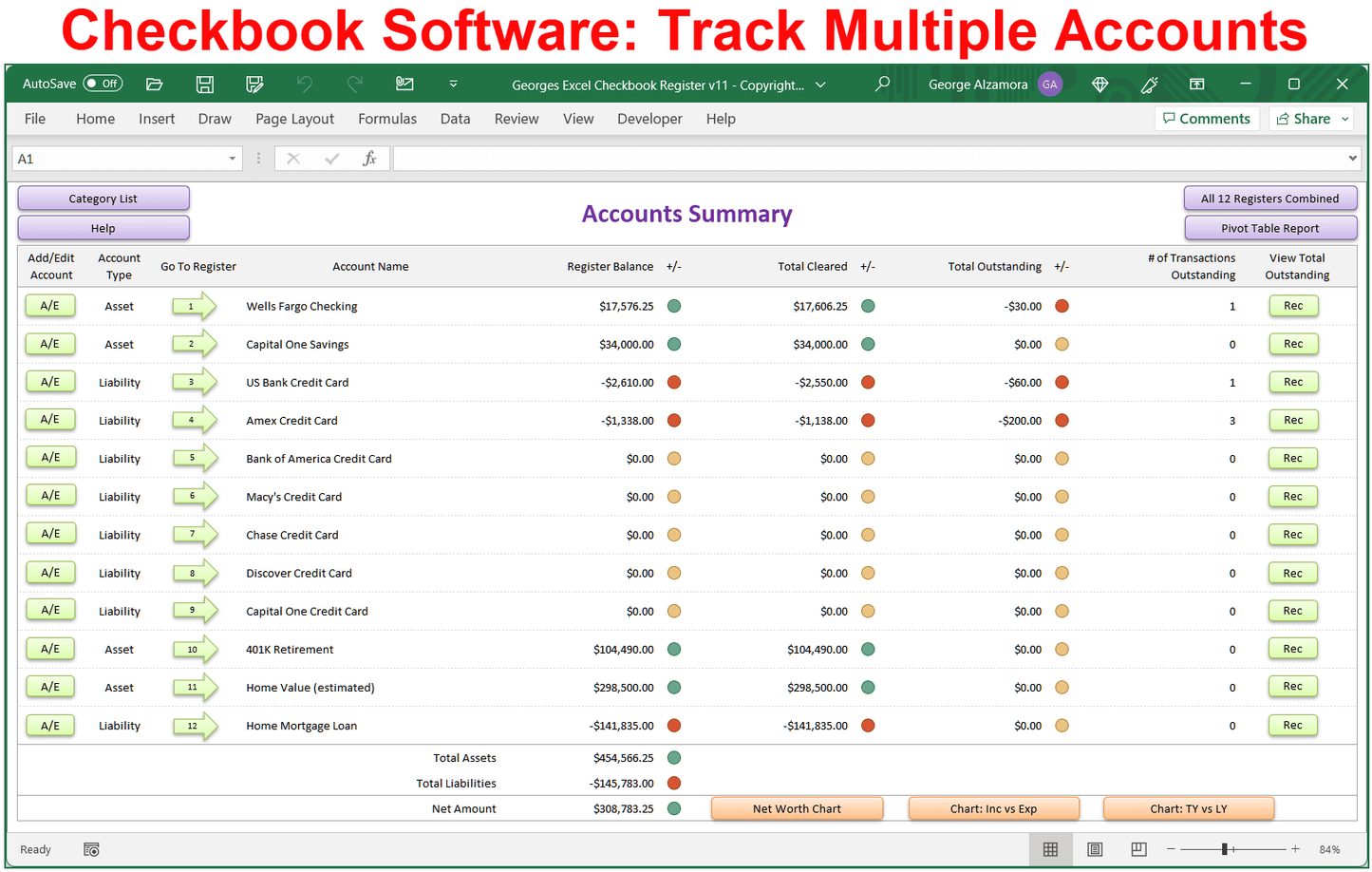
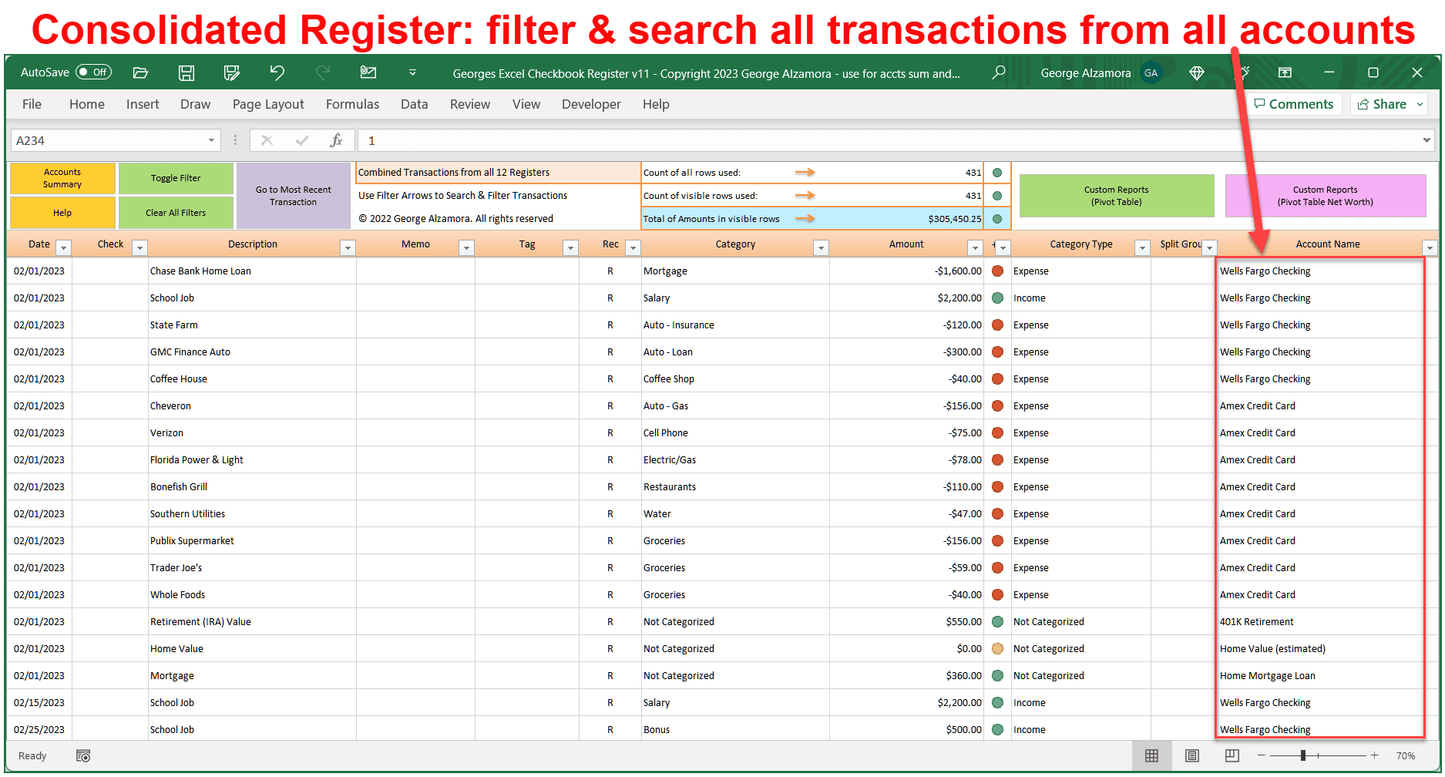
  • Track multiple accounts:  checking accounts, credit card accounts, savings accounts, loan accounts, mortgage accounts, and retirement savings accounts such as 401k and Roth retirement accounts
  • Easy bank account reconciliation so you balance your checkbook and also reconcile your credit card accounts
  • New: Split transactions into multiple categories in any of the spreadsheet account ledgers including the Excel checkbook registers and Excel credit card registers. Improve expense tracking by better reflecting actual spending (for example, if you went to Costco and spent 200.00 on groceries and 100.00 on clothes, you can now split that single purchase into the categories of food and clothing so that your spending reports will better reflect your actual purchases.
  • New: Each Excel account register has an extra column titled Tag where you can add additional transaction related data. This can greatly improve the custom reports that you can create. For example you can use the extra column to tag a transaction as tax deductible, or personal vs business, or fixed vs variable expenses, or need vs want, thus allowing you to create custom reports based on those criteria. For example, in the custom Pivot Table reports, you can then create your own income / expense reports based on the information you added in the new Tag register column such as a report that compares your fixed expenses to your variable expenses for a given time range.
  • New: Reclassify categories in the registers. Quickly change categories to different category names for transactions already entered into the registers.
  • New: Improved the navigation in the checkbook spreadsheet amount between  the different dashboards, charts, and checkbook registers.
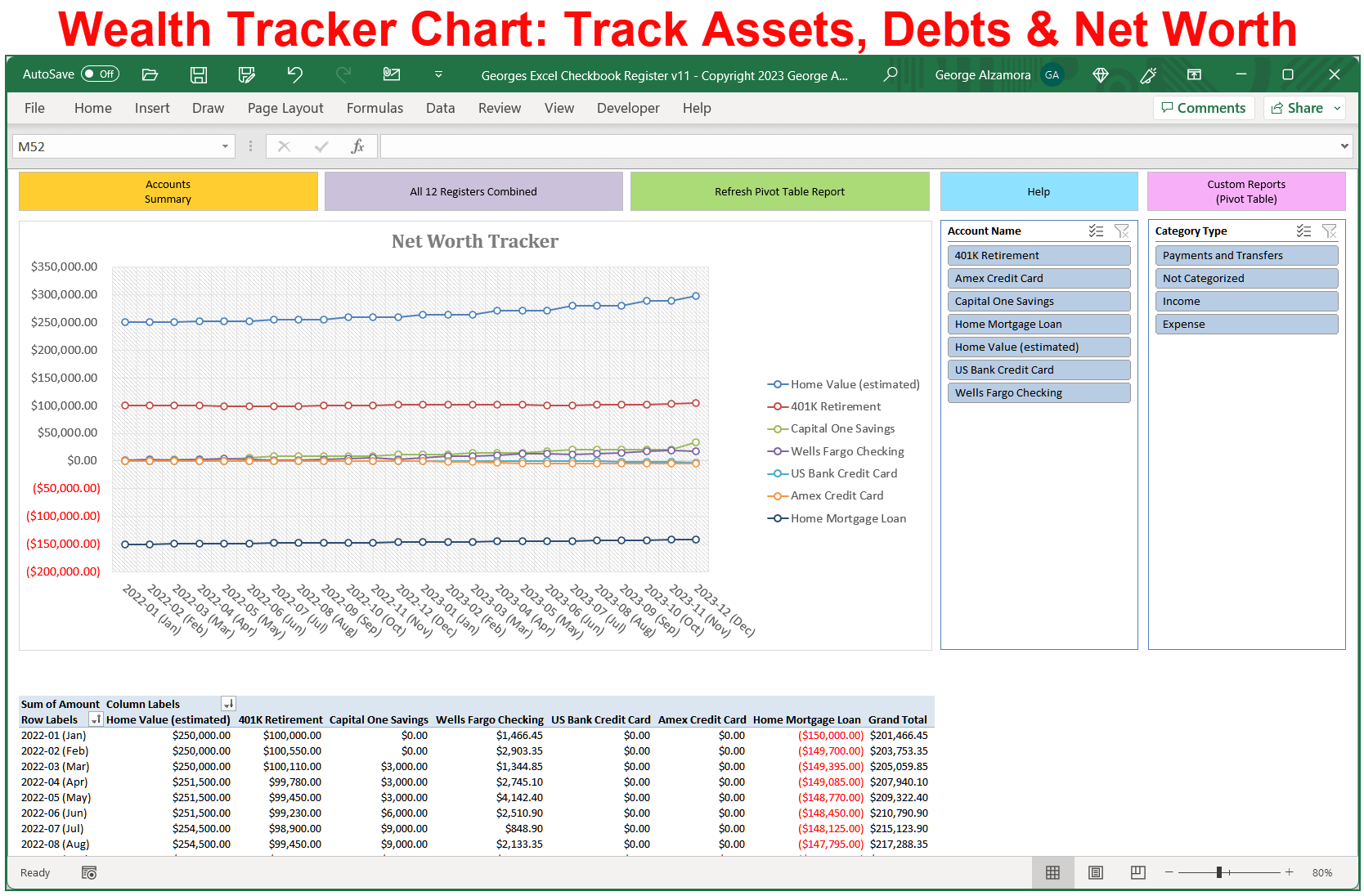
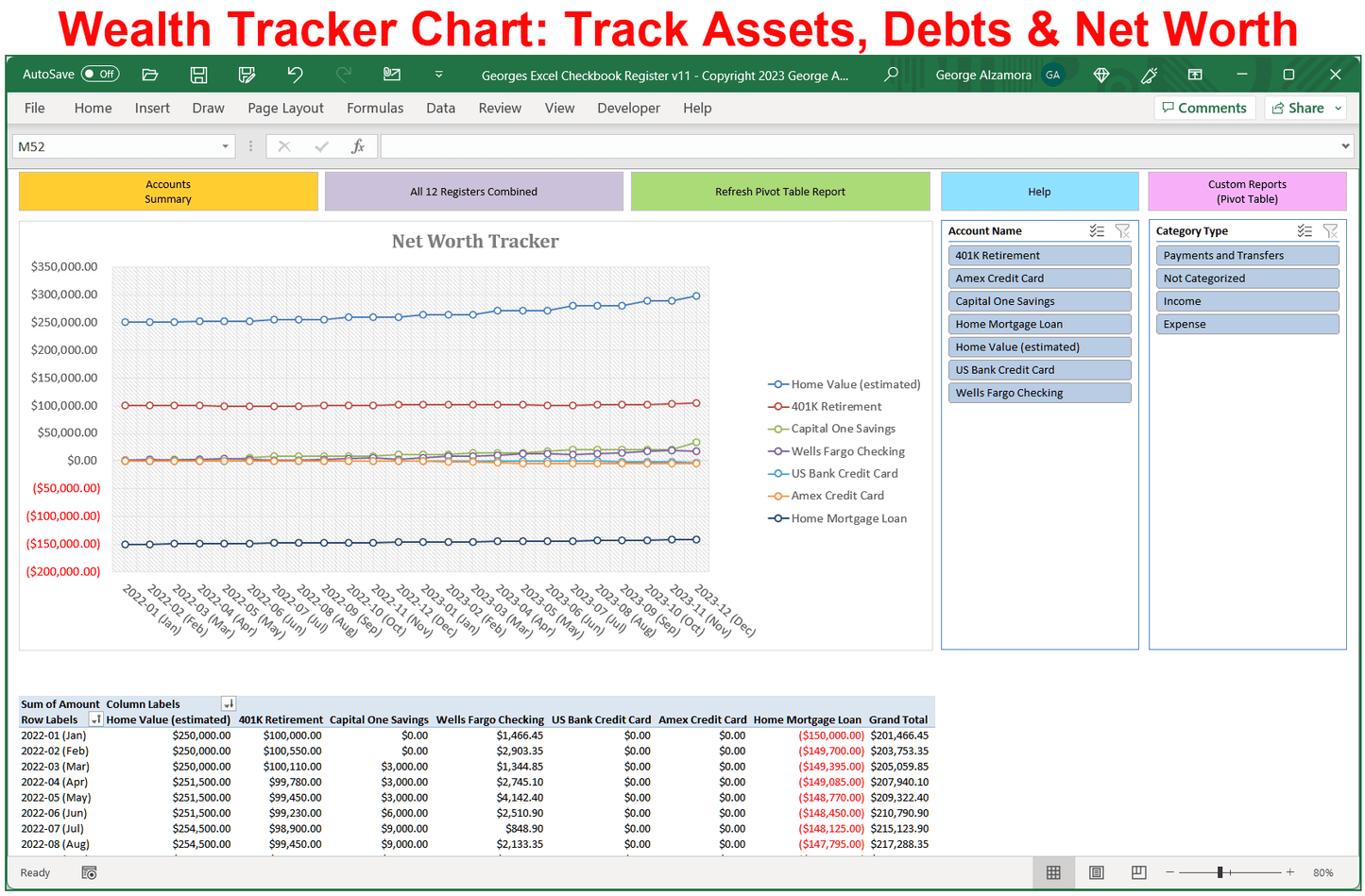
  • Track your net worth over time in dynamic charts and tables based on the values in your asset accounts such as your home value, stock market investments, precious metals such as gold and silver, and debt accounts such as your mortgage loan.
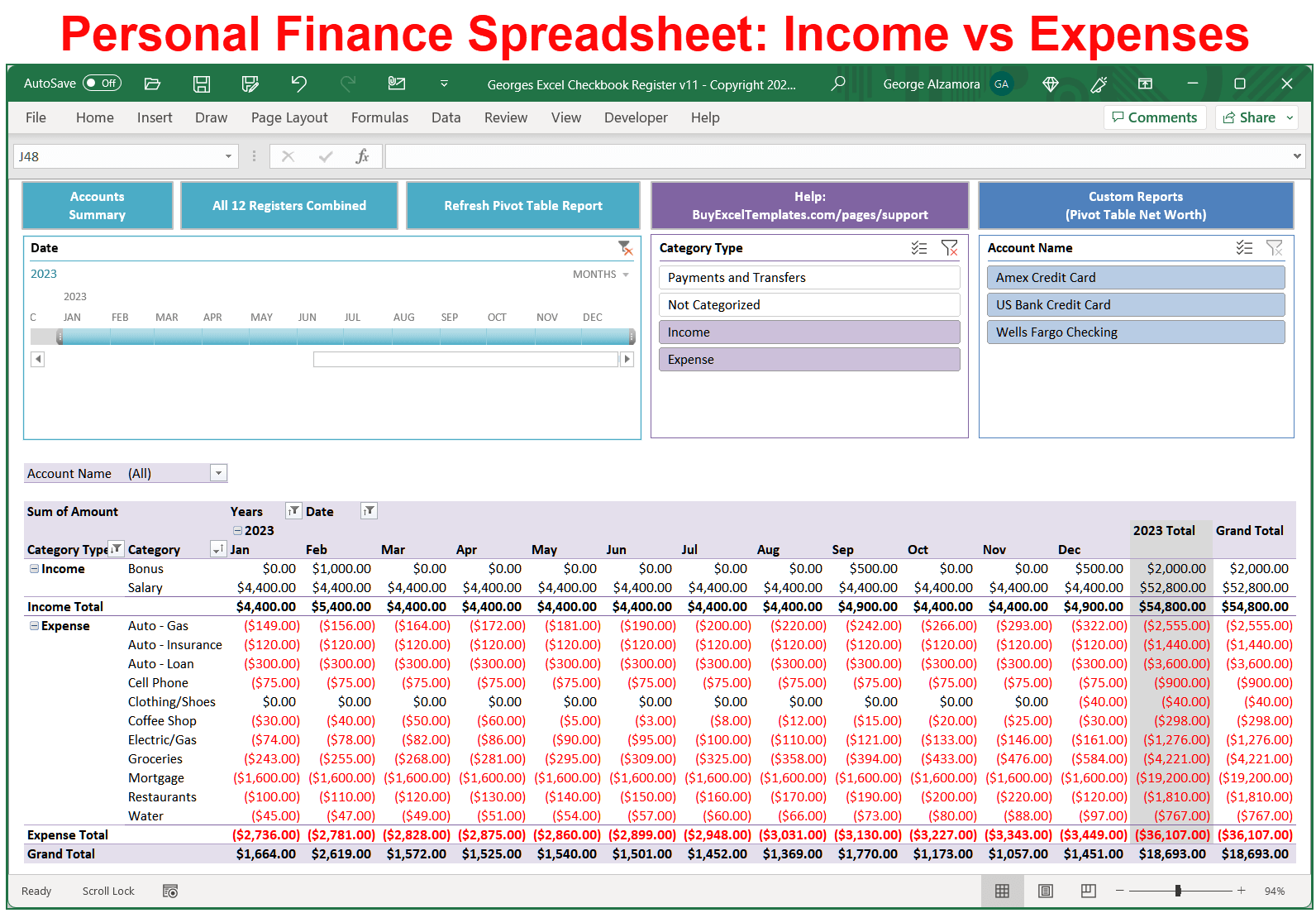
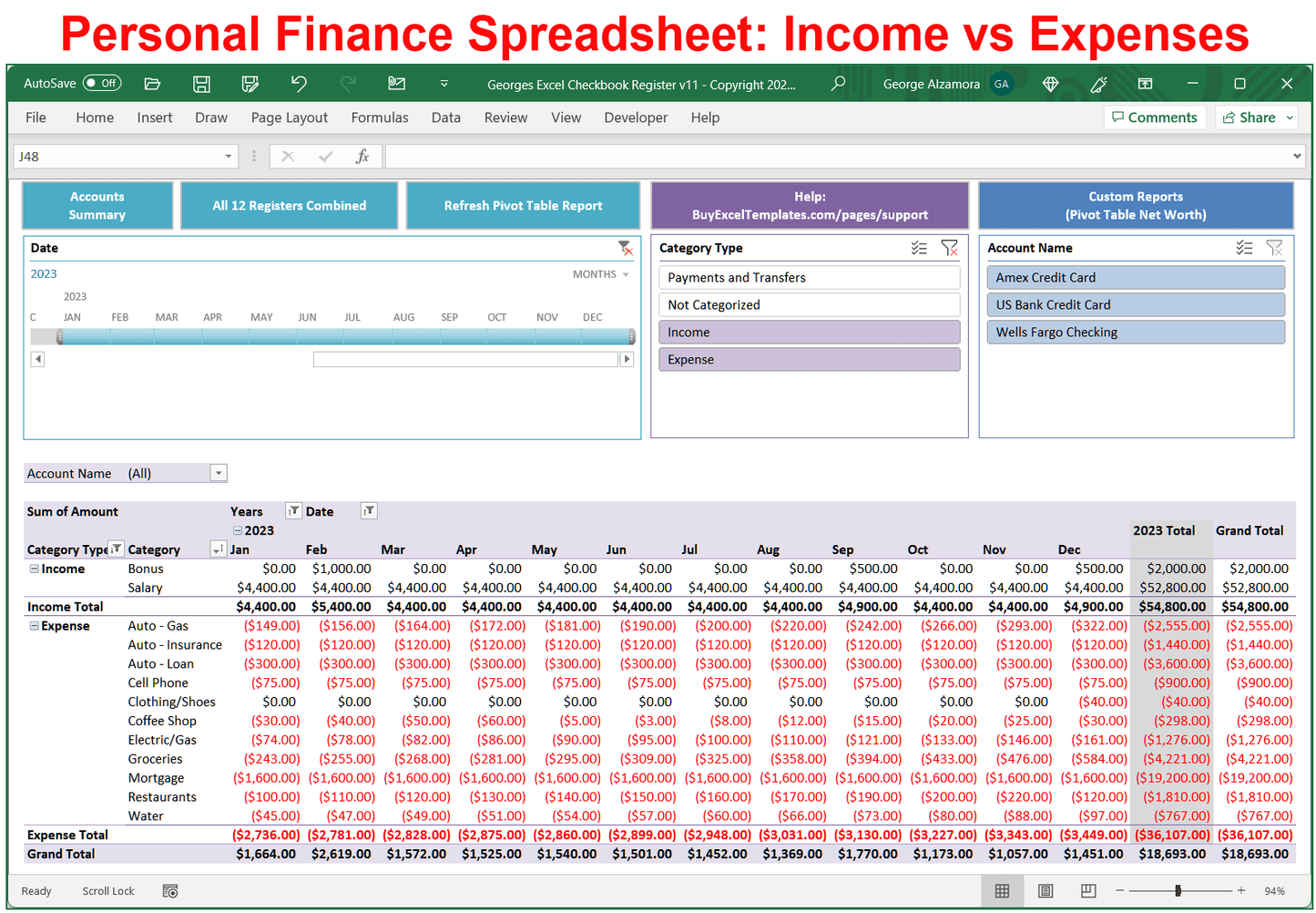
  • The customizable Excel pivot table reports allow you to create dynamic reports to meet your unique financial position.
  • Create your own income categories and expense categories.
  • This Excel checkbook software helps you get better control over your expenses and income
  • Future dating of transactions in the Excel checkbook registers and Excel credit card registers allows you to forecast your spending so you can be better plan for the future.
  • The checkbook software is designed to make money management simple and fast

Checkbook Spreadsheet Template Benefits:

  1. The Checkbook Account Tracker Spreadsheet can track up to 12 accounts including checking accounts, credit card accounts, savings accounts and other financial bank accounts. Each register can have up to 4000 rows.
  2. Track your spending, saving, investing, income, assets, liabilities, and more.
  3. Easy-to-use and customizable financial tool. Keep track of your finances quickly and accurately.
  4. Ability to split transactions in the checkbook registers. Splitting transactions creates more accurate records of your spending and what you actually bought by allowing you to assign a single transaction to multiple spending categories and even multiple income categories.
  5. The user-friendly checkbook spreadsheet allows you to wisely track your hard earned money and dollars spent.
  6. The Excel checkbook template help you keep an organized record of your financial activities
  7. With the ability of the Excel checkbook spreadsheet to generate reports and analyze spending trends, you can gain new insight into your spending habits to better plan for the future.
  8. Take out the chore of balancing your checkbook with this simple checkbook software.

An important financial tip is to track of your income and spending and this checkbook software helps you accomplish getting financially organized so you can start saving money. Stay in control of your money funds going in and out of your accounts with this top selling checkbook spreadsheet.

System Requirements

  • Windows PC Computer: Compatible with Microsoft Excel 2021, 2024, or Excel for Microsoft 365.
  • Mac Computer: Works perfectly with Microsoft Excel 2021, 2024, or Excel for Microsoft 365.
  • Flexible Set Up: Save to and use solely on your local computer for maximum data privacy or use with OneDrive or Dropbox for anywhere access.
  • Formatting Note: Formatted with standard US Dollar signs ($) and traditional MM/DD/YYYY date entry fields.
  • Automation: This spreadsheet utilizes built-in Excel macros to automate and simplify your money management. After downloading the spreadsheet, see simple video instructions for how to enable macros in less than 60 seconds.
  • Software Note: Requires a full desktop version of Microsoft Excel installed on your computer. This spreadsheet is not compatible with Google Sheets, free browser-based Excel Online, Apple iPad, or mobile phone apps.

How to split transactions?

The checkbook spreadsheet makes it easy to split transactions into more than one category. See how to split register transactions for video instructions.

  • Instant Download: Access your file immediately on the checkout page after payment confirmation.
  • Email Delivery: A secure download link is also sent directly to your inbox.
  • Need more details? You can read our Delivery Policy for a quick summary on how you receive your spreadsheet templates.

  • Video & Text Guides: View our support page for step-by-step help articles and easy video tutorials.
  • Direct Email Help: Contact us at support@buyexceltemplates.com for personalized assistance.
  • USA-Based Service: All customer support requests are handled directly by the spreadsheet creator.
View full details
Add to Cart: Select an Option ↑

Video: Checkbook Spreadsheet with Split Transactions

J
Jo B. (Virginia)
I do like this!

I was still using Quicken 2007. I loved it It did what I needed. I knew how to use it. Then I bought a new Mac Air and its OS did not support Quicken 2007. All I wanted was a simple check register that allowed split entries. What a simple wish! That wish had me research countless programs. This seemed to be the only one that allowed split entries, so I went for it. There was a steep learning curve for me, and I had some glitches with mystery files on my HD and crashes, but George was right by my side helping me through them. I've now got the hang of the program, and find it very easy to use, and I highly recommend it. George's personalized support is appreciated! Give this a try as a Q2007 replacement!

Hi Jo,
Thank you for your positive feedback and glad that you found a Quicken alternative that has split transactions and is also subscription free! Please note, for best performance, this version of the checkbook software, due to its advanced Excel features and money management tools, requires 16GB of RAM (computer memory), so having 8GB of RAM could have caused what you initially experienced. If you have any more questions, you can reach out to me anytime.
George

L
Linda K. (Wisconsin)
Awesome template!

Love the new template! I needed room for more accounts and this did it. Plus the split transactions (which I haven't needed so far) are a great feature. I love the v5 also, I just ran out of room for my accounts. This is much more flexible with reports etc.

Hi Linda,
Thank you for your review and purchasing another checkbook app template. I hope the customizable income vs spending reports can help you to better manage your money.
George

J
John B. (Oklahoma)
The Perfect Solution

Georges Excel Checkbook Register v11 is awesome! I've had at least three versions and each one is better that the last. George has been so helpful answering the questions I had. I am a lifelong user of Georges Excel Checkbook Register!

Hi Rev. J.B.
Thank you for being a repeat customer and your 5 star review! It is great to hear that you like the new checkbook software.
George